Set up Militereum in your wallet — in 2 minutes.
Militereum runs as a local RPC. Point any EVM-compatible wallet at it and every transaction gets simulated before it leaves your computer.
Works with these wallets
MetaMask
- 1Click on the hamburger icon in the upper-right corner
- 2Click on: Networks
- 3Click on the ellipsis for the network you will want to secure
- 4Click on: Edit
- 5Open the RPC URL dropdown menu
- 6Click on: Add RPC URL
- 7Paste Militereum's RPC URL
- 8Click on: Add URL
Rabby
- 1Click on the gear icon in the upper-right corner
- 2Click on: Modify RPC URL (2x)
- 3Click on the network you will want to secure, for example: Ethereum
- 4Paste Militereum's RPC URL
- 5Click on: Save
Ambire
- 1Click on the hamburger icon in the upper-right corner
- 2Click on: Settings
- 3Click on: Networks
- 4Click on the network you will want to secure, for example: Ethereum
- 5Click on: Edit
- 6Paste Militereum's RPC URL and click on: Add
- 7Make sure Militereum is your default RPC
- 8Click on: Save
Brave
- 1Click on the ellipsis in the upper-right corner
- 2Click on: Settings
- 3Click on: Wallet Networks
- 4Click on the ellipsis for the network you will want to secure
- 5Click on: Edit
- 6Click on + and paste Militereum's RPC URL
- 7Click on: Submit
Militereum works with any EVM-compatible wallet that lets you set a custom RPC endpoint.
Download the desktop app


No account, no signup. Free forever.
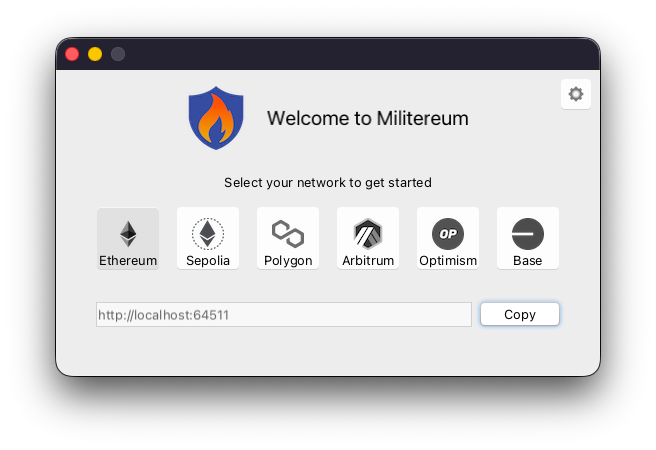
Before you start
- 01
Install Militereum
Download the desktop app for Mac or Windows. No account, no signup.
- 02
Unlock your wallet
Open your EVM wallet, enter your password, then follow the wallet-specific steps above.
Example RPC configs
Pick the network you want to secure and paste the matching values into your wallet.
Tip: repeat these steps with a different Chain ID for every network you use. You may also want to remove all non-Militereum RPC URLs from your wallet because some attacks start with a popup that asks you to switch to another network before prompting the malicious transaction.
Ready to block your first scam?
Install Militereum and connect your wallet. Free forever.